
The steps below will walk you through the steps to enable the Bluetooth pairing feature with approved Flame Boss Bluetooth Wireless probes.
Steps:
- Make sure your Flame Boss Bluetooth probe is fully charged.
- Plug your Flame Boss 550 into power.
- Open the Flame Boss mobile app and confirm the device status shows Bluetooth: Ready.
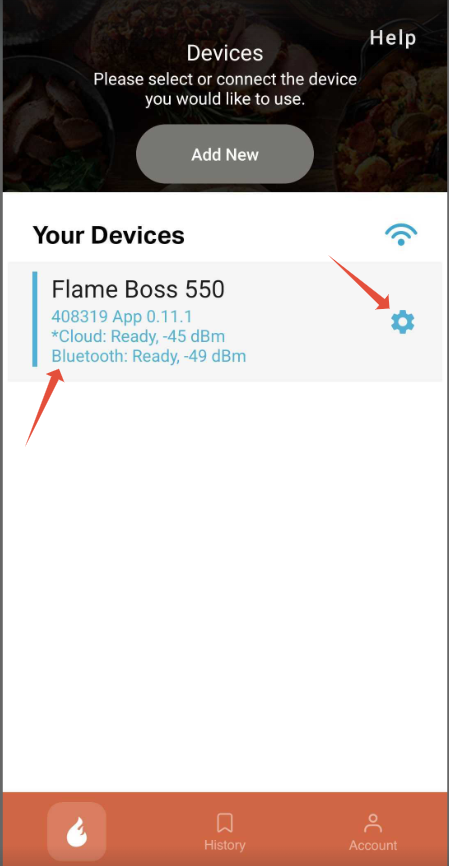
- Select the blue Settings Gear to the right of your Flame Boss 550.
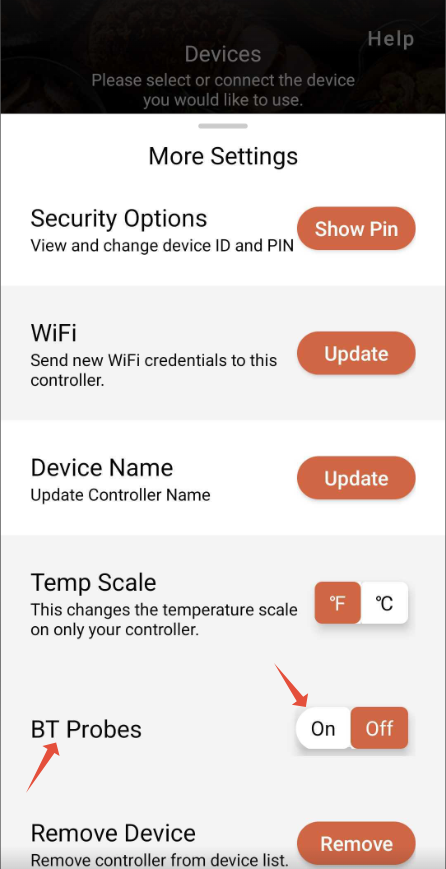
- Locate the BT Probes setting.
- Toggle the setting On.
- Return to the cook settings page in the Flame Boss mobile app.
- The Bluetooth probe will automatically populate the next available meat probe slot.
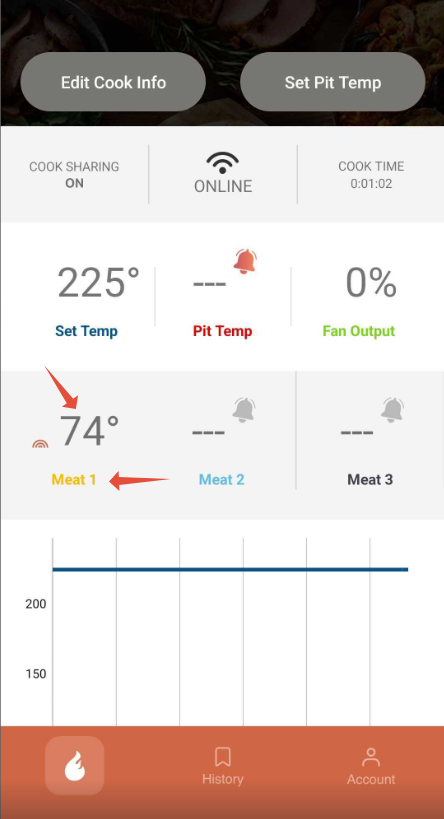
- Tap the temperature value to configure Meat Alerts.
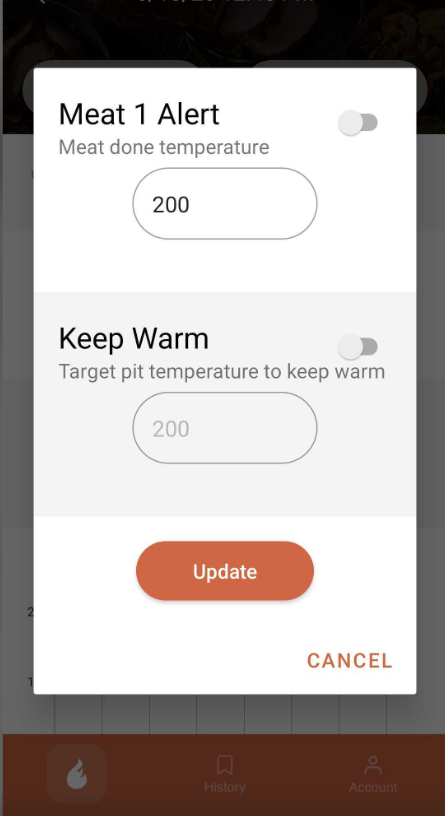
- Tap the Bluetooth probe name to:
- Edit the probe name
- Reset the Bluetooth probe
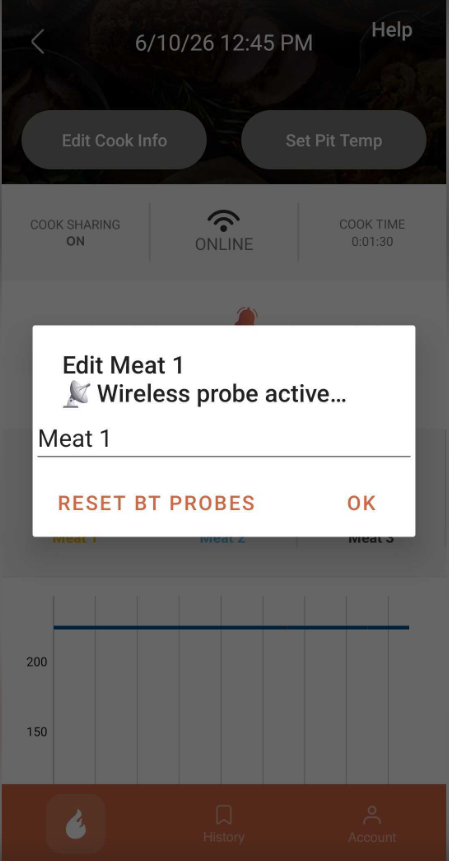
Note: Resetting the Bluetooth probe will unpair it from your Flame Boss 550 and allow it to be paired with another Bluetooth-enabled Flame Boss device.
Please let us know if you have any questions or need further assistance.
When you are done using the Bluetooth probe simply toggle off the BT Probe setting found in the More Settings Gear
Below are additional articles that may help.